


Practical system recovery program
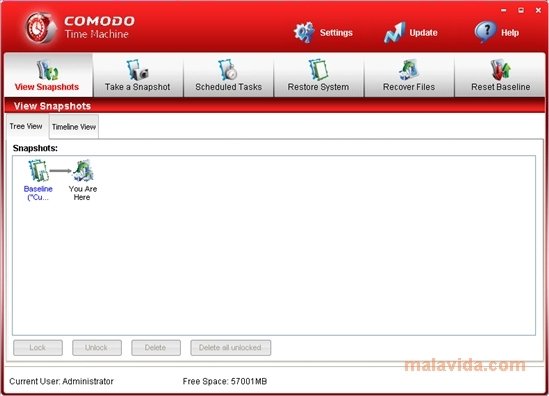
At some point in your computer's life, you have surely installed an application that has generated chaos on your system, or even worse, has infected your computer because it was a covert virus. In these cases it would be nice to be able to go back in time. This is possible thanks to Comodo Time Machine, a powerful and light system recovery software.
Comodo Group has developed this application to offer Windows users a practical and effective way to go back in the changes that have been performed on the system. Thus, Comodo Time Machine is capable of returning your computer back to its earlier status by means of instant “captures” that you have predefined or those generated by the application itself.
Main features
- Easy-to-use interface, even for beginner users.
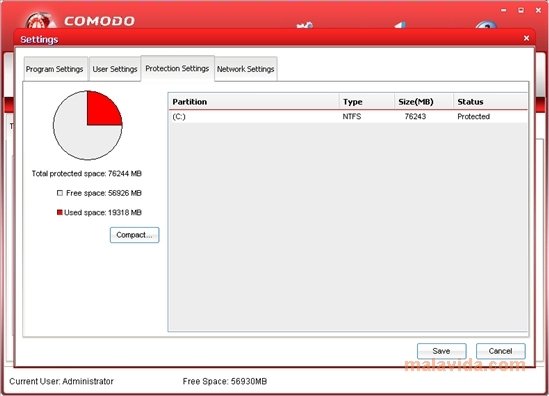
- Complete computer restoration: register, system files or, even, the documents and the rest of personal files.
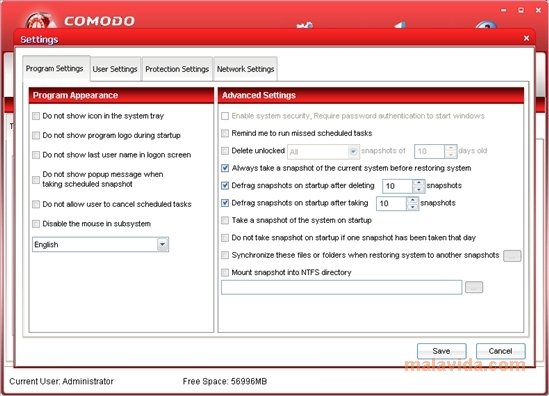
- Automatic and personalized restoration point generation.
- Start from sub-console if Windows startup fails.
As a drawback, we can't use Comodo Time Machine if we have a Linux partition. Also, if we have more than one operating system installed on the same computer we will have to install the application on each one of them. The changes will be rolled back in each one of them each time you restore the system.
Requirements and additional information:
- Compatible with Windows 7, Windows Vista, Windows XP SP2 or above, Windows Server 2003 and Windows Server 2008 except Windows Server 2008 Core.
 Vanessa Martín
¡Hi! I am Vanessa Martin, I like to travel, music, photography, and I am passionate about the Internet, as it is a great source of information where you can find everything you need. If it exists, it is on the Internet. Another of my great...

Antony Peel